
BarePOS Market · supermarkets, butcheries and shops
The till for supermarkets, butcheries and shops.
Scan, weigh and pay. Specials that work themselves out, shelf labels, stock counts with a handheld scanner, and cash-up. It runs on your own PC in the shop, so it keeps selling when the internet drops.
Leave the serial empty in the installer and your 14-day trial starts. The PC needs the internet while it installs.
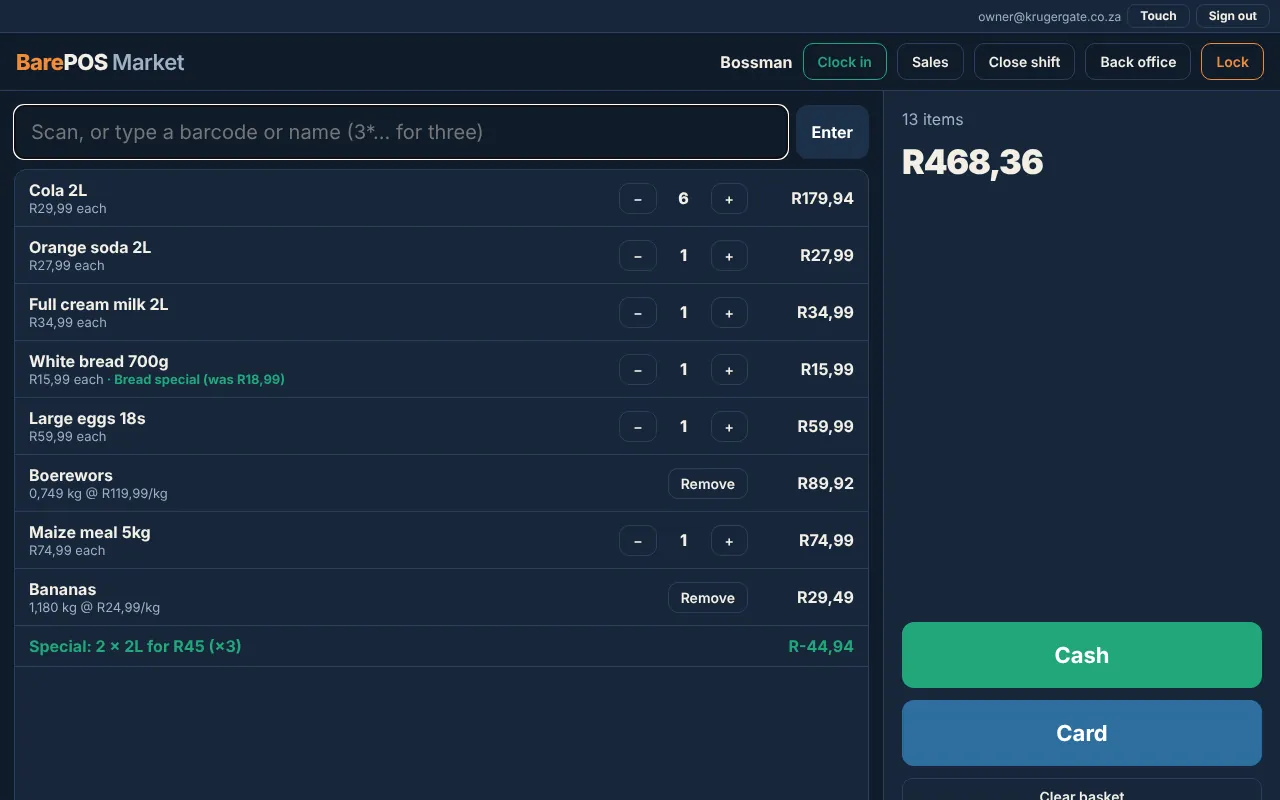
Scan and pay, fast
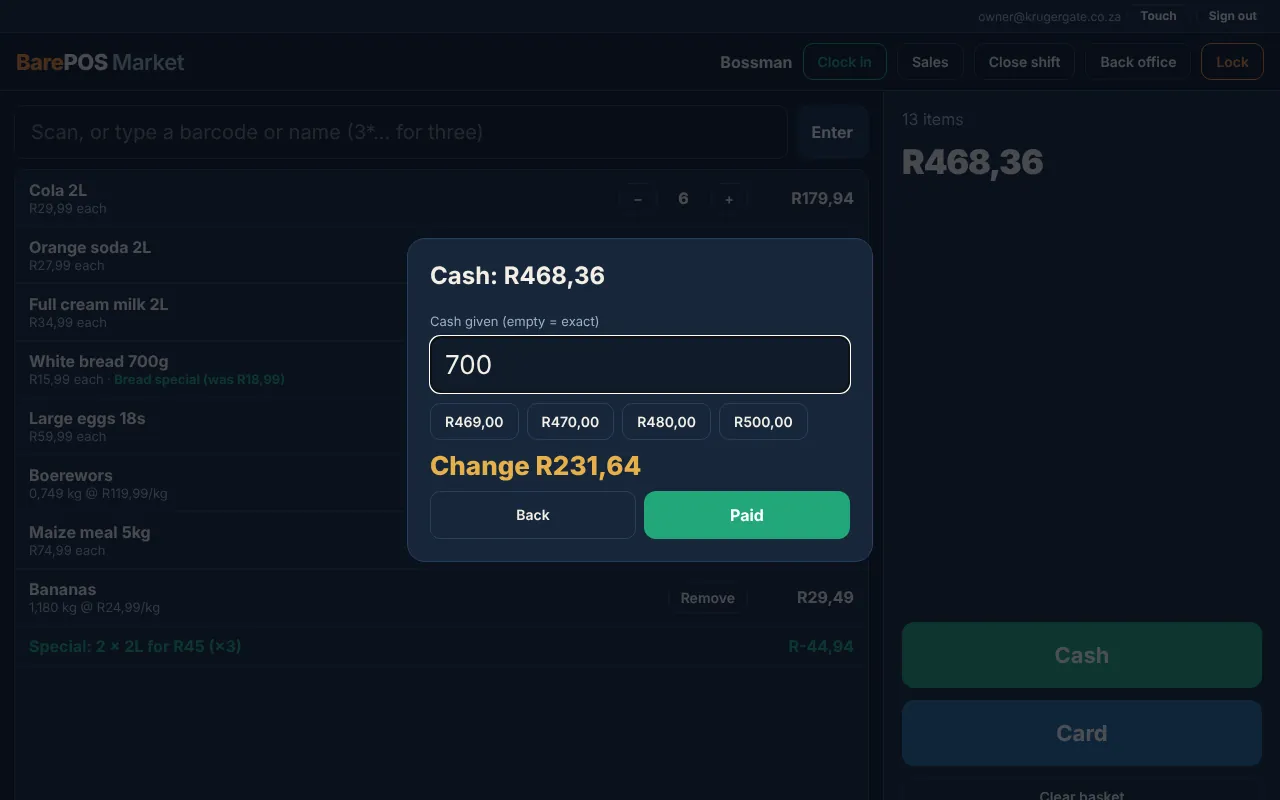
The scanner types the barcode and the till rings it up. A case barcode adds the whole case, and 3* before a scan rings up three. Cash with the change worked out, or card on your own card machine.
Weighed meat, fruit and veg
Labels from your deli or butchery scale are read straight off the barcode: weight and price. No label? The till asks for the kilograms and works out the price.
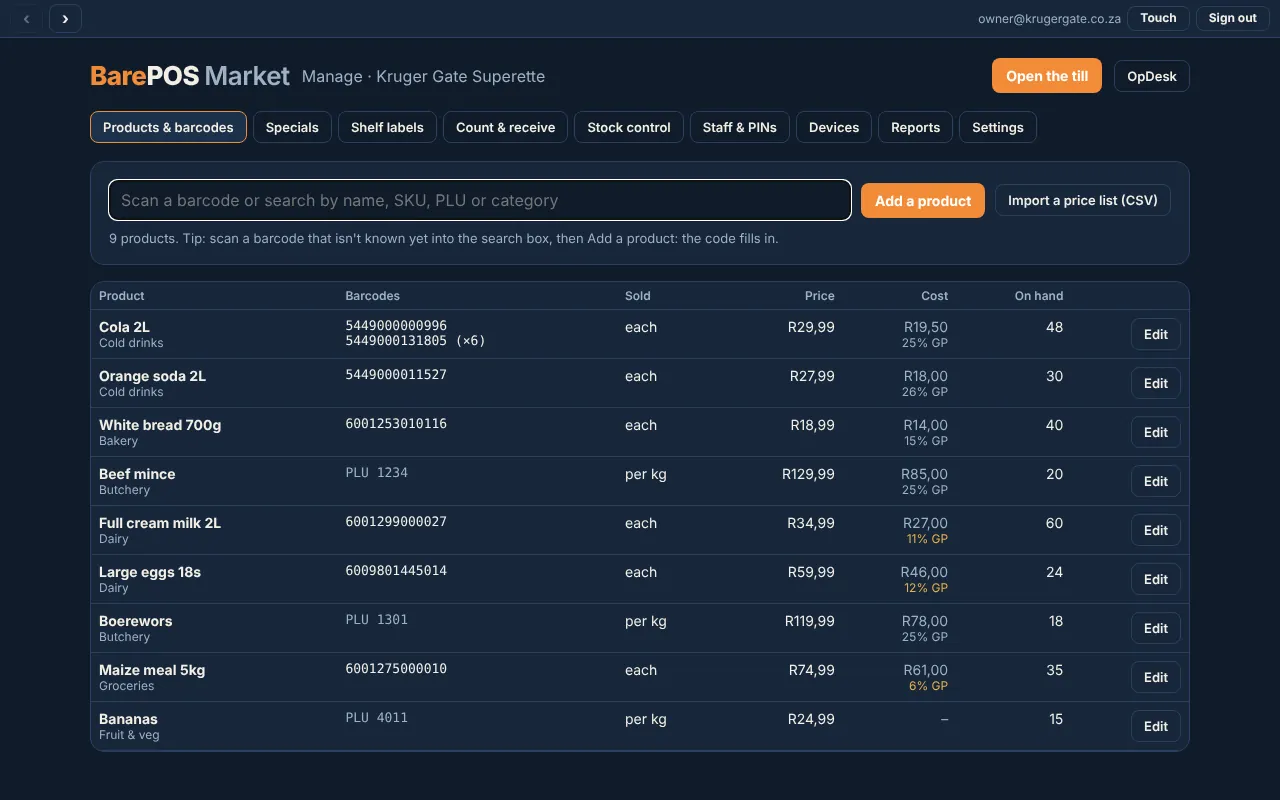
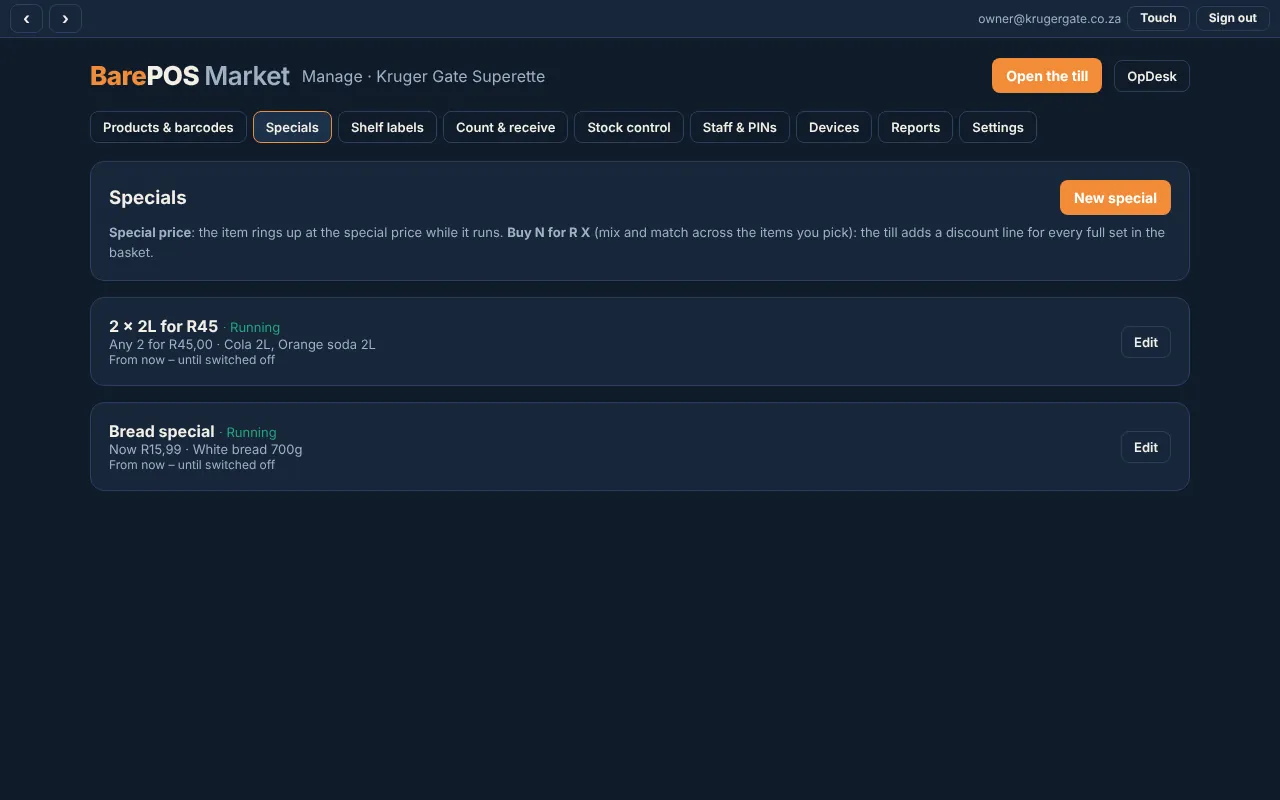
Specials that work themselves out
Special prices with start and end dates, and “any 2 for R45” mix-and-match deals. The till finds the deals in the basket and adds the discount line, every time.
Shelf labels with barcodes
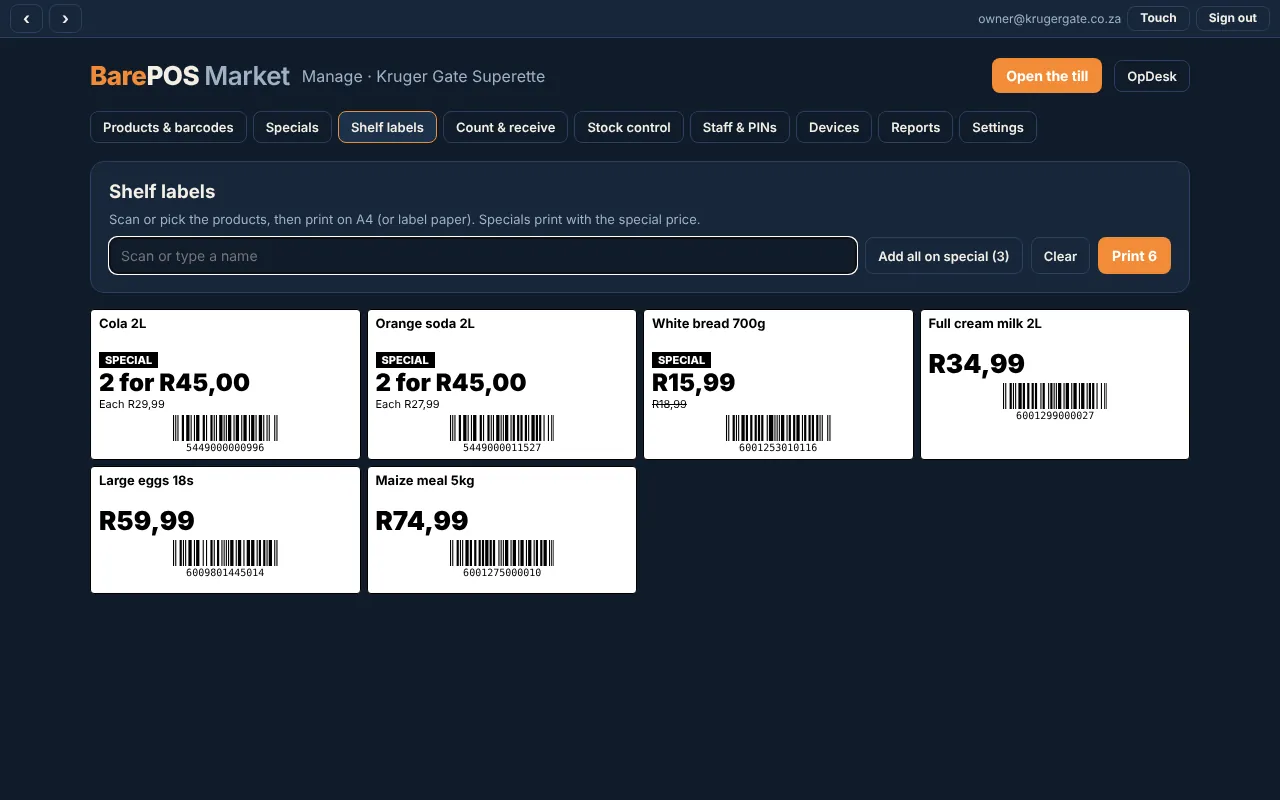
Print price labels on A4 or label paper. Specials print with the special price and the old price crossed out.
Stock counts with a handheld scanner
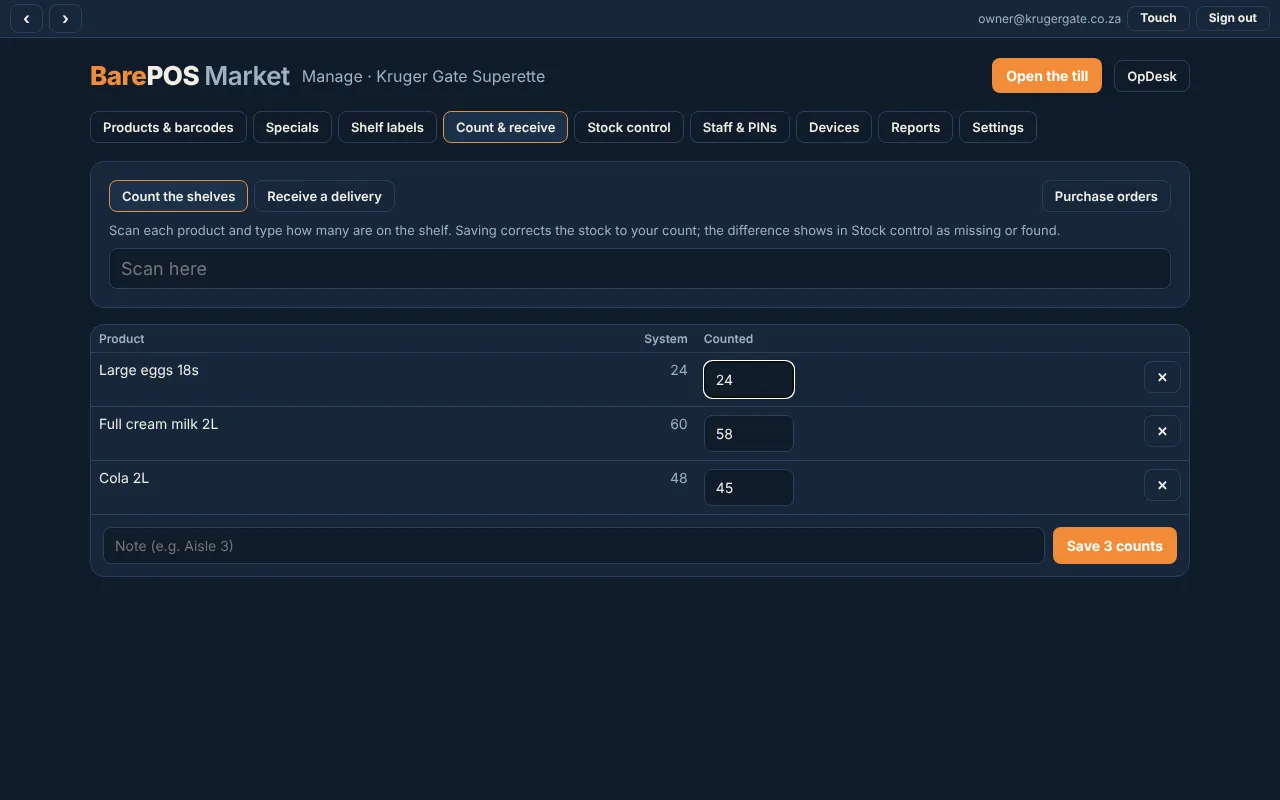
Walk the aisle, scan, and type what is on the shelf. Stock is corrected to your count, and what went missing shows in Stock control. Deliveries go in the same way.
Also in BarePOS Market
Import your price list from Excel (CSV): new products are added, known barcodes get the new price
Profit per product: cost, price and gross profit %
Purchase orders and receiving deliveries
Staff PINs, shifts, cash float and cash-up
A manager PIN for voids and refunds
Sales, stock and month-end profit & loss reports
Receipt printers and cash drawers
Any USB or Bluetooth barcode scanner
Price
BarePOS Market
R1 099 a month
plus R4 500 once-off setup
3 tills, updates, daily backups on the PC, and WhatsApp/email support included.
Prices include VAT. Activate from inside BarePOS Market when your trial is up: you pay the setup and the first month by card through PayFast, then the monthly amount until you cancel.
When the internet goes down
Does it stop when the internet goes down?
No. The tills talk to the BarePOS Market PC over the shop’s own network, so scanning, specials, cash-up and stock carry on.
And when the power goes?
Put the BarePOS Market PC and the router on a small UPS. Tills on battery carry on, and when the power is back everything is where you left it.
How long can it run without internet?
Up to 30 days. It checks its licence whenever it has internet. Longer than that? We send you an unlock code by WhatsApp. Your sales and data are never deleted or locked away.
What about card machines?
Your bank’s card machine works on its own SIM or line, as it does today. BarePOS Market records the sale as card once the machine approves it.
Try it in an afternoon
- Download the installer on the PC that will be the shop’s BarePOS Market PC (the back-office PC, or the main till).
- Run it and leave the serial empty: you get a free 14-day trial.
- Add your shop and the owner’s login on the set-up page that opens.
- Load your products: import your price list, or scan them in one by one.
- Open the till on the other PCs on your network, plug in the scanners, and start selling.
What you need
- A Windows 10 or 11 PC (64-bit) with 16 GB RAM and an SSD, on a network cable to your router
- Tills: any PC or touch screen on the same network
- A USB or Bluetooth barcode scanner per till
- Optional: a label-printing scale, a receipt printer and a cash drawer
A takeaway or small shop with one or two tills? BarePOS is R3 899 once-off.
Questions
How many products can it handle?
Tens of thousands. The till loads the full product list once and finds any barcode instantly.
Which scales work?
Any label-printing scale that prints EAN-13 price or weight labels (a prefix, the product’s PLU, then the price or weight). Set the format once in Back office → Settings.
Can I move from my old till?
Yes. Export your products to Excel from the old system, save as CSV and import it. Barcodes, prices, costs and categories come across.
Is my data mine?
Yes. It lives on your own PC in the shop, with a backup every day. Nothing is deleted if the subscription stops.
Can I cancel?
Yes, any time. The till keeps working until the end of the month you paid for.