BareSpaza · for phones
Your whole spaza on one phone.
Sell, count stock, keep the customer book and do the day end, all on the Android phone you already have. No PC, no printer, works without data.
Version 0.3.1 · free trial starts when you open it
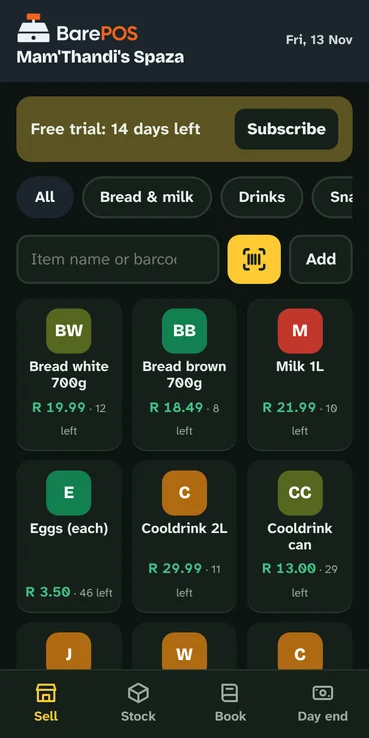
What it looks like
Screenshots from BareSpaza 0.2.9, with an example shop’s stock.
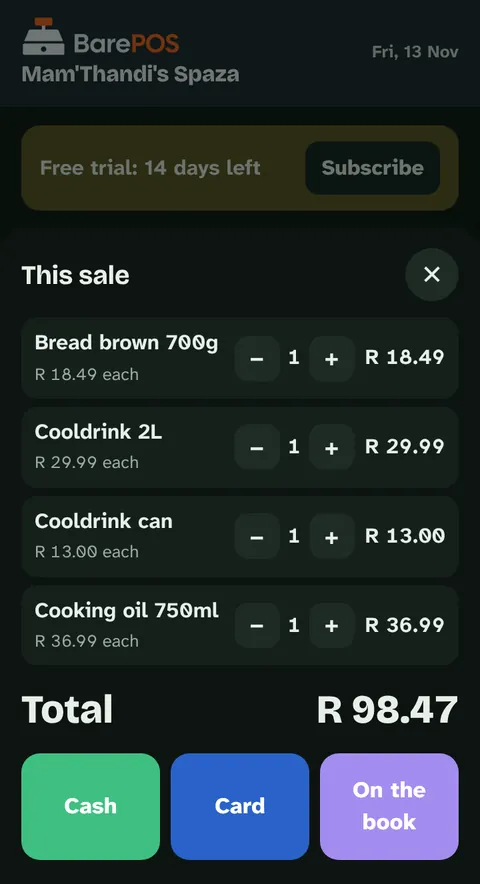
The basket: change quantities, then pay by cash, card or on the book. 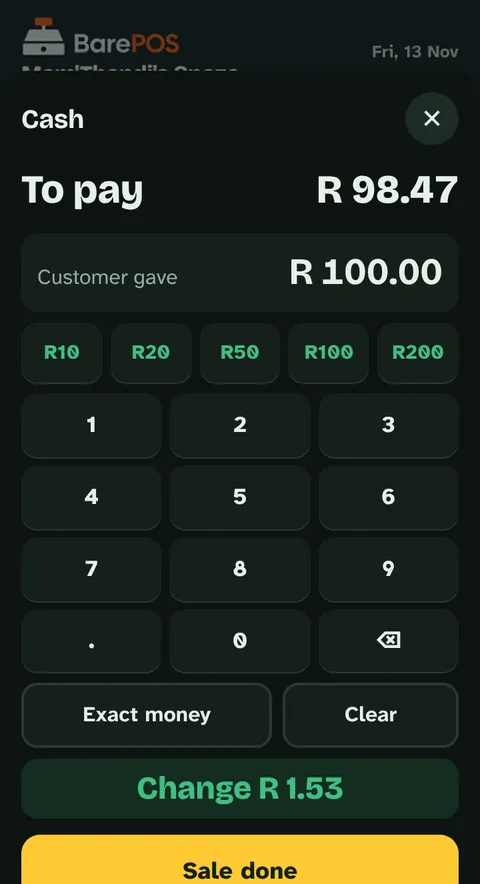
Cash: tap the notes the customer gave and it works out the change. 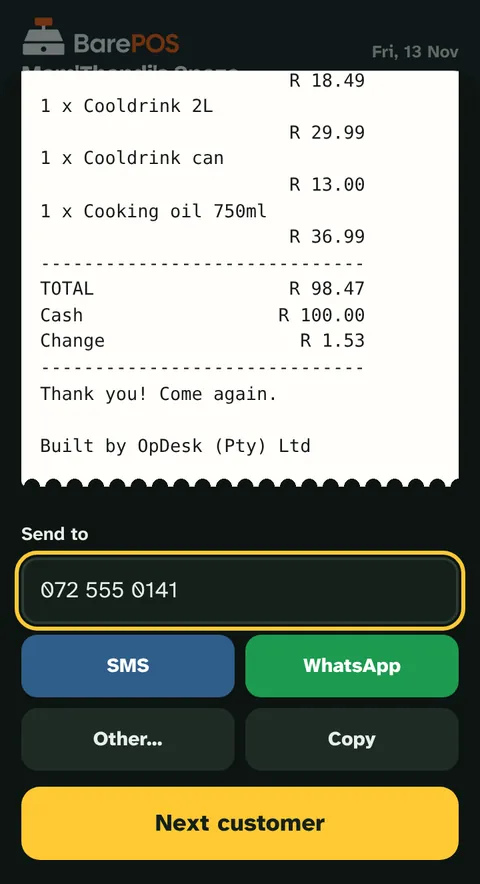
The slip, ready to send by SMS or WhatsApp to the customer’s number. 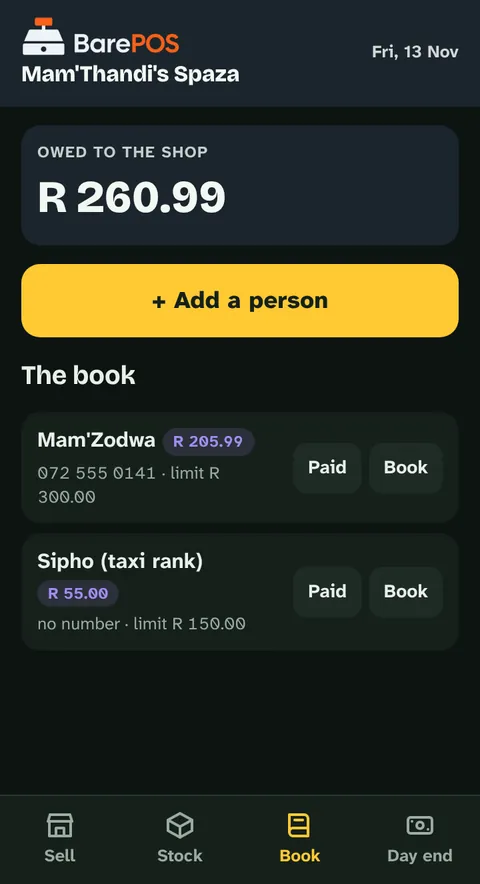
The book: who owes what, with a limit for each person. 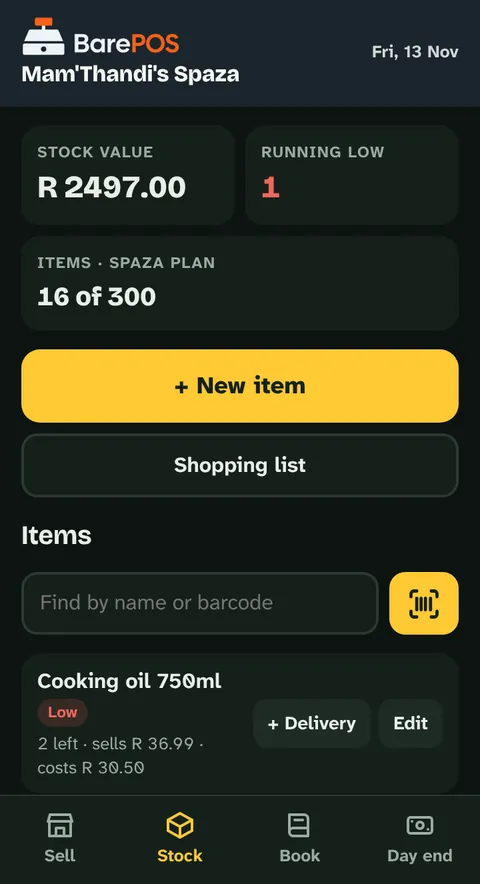
Stock: what it’s worth, what’s running low, deliveries in a tap. 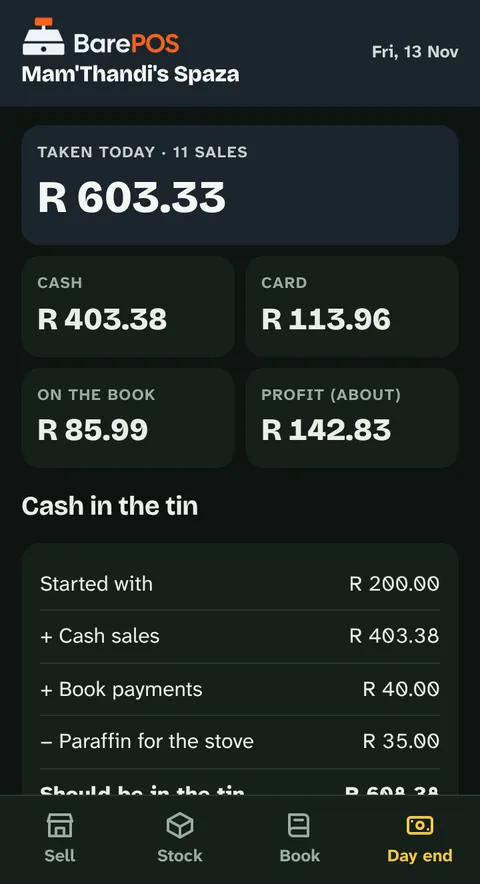
Day end, behind your owner PIN: cash, card and book, and what should be in the tin.
What it does
Sell in a few taps
Big buttons for every item, sorted on shelves. Type a name or scan the barcode with the phone’s camera. Cash with change worked out, card on your own card machine or tapped on your phone, or on the book.
Your phone is the card machine
Customers tap their card or phone on the back of your phone, using the free iKhokha Tap on Phone app (Android phones with NFC). No card machine to buy. iKhokha’s card fees apply.
Receipts by SMS or WhatsApp
Type the customer’s cellphone number and send the slip by SMS or WhatsApp, or any other app. No printer needed.
The customer book
Who owes what, with a limit for each person. Take payments and send someone their book on WhatsApp.
Stock that keeps itself
Every sale takes it off stock. Deliveries in with a few taps, and a shopping list of what’s running low.
Day end
What came in by cash, card and book, what should be in the tin, and what was sold. Locked with your owner PIN, and the takings never show on the selling screen, so customers can’t see what you made.
Works without data
Everything is on the phone, so it keeps working with no signal. It checks in when there is signal.
Plans
You pay by how many different items your shop keeps (bread white and bread brown are two items). Everything else is the same on every plan.
Spaza
Up to 300 items
R49 a month
Most spaza shops
Shop
Up to 1 000 items
R99 a month
Bigger shops and tuck shops with a wide range
Big shop
Up to 2 000 items
R149 a month
Mini-markets with a big range
More than 2 000 items?
Then you need BarePOS: it runs on a PC with more tills, slip printers, cash drawers and staff logins.
See BarePOSFree for the first 14 days. No card needed to start. You can move up a plan any time. If you reach your plan’s limit, selling carries on: you just can’t add new items until you move up.
Put it on your phone
- Tap Download for Android on your phone. If you downloaded it on a computer, send the file to your phone, for example on WhatsApp to yourself.
- Tap the downloaded file. Android asks to allow installing from this app: tap Settings, switch on Allow from this source, and go back.
- Tap Install. If Play Protect warns about an unknown app, tap More details, then Install anyway. It says that for every app that isn’t from the Play Store.
- Open BareSpaza. It starts with an example shop so you can try it; clear it under Day end when you’re ready for your own stock.
Needs Android 7 or newer. BareSpaza isn’t on the Play Store yet.
Subscribe
Pick your plan, then pay monthly by card through PayFast. Your serial comes by email straight after the first payment. In the app, tap the trial banner (or Day end → Licence) and enter it.
Questions
Do I need data?
No. BareSpaza works offline all day. It needs signal now and then (about once a day) to check your subscription, and for sending receipts on WhatsApp. SMS receipts use your normal airtime and work without data.
What happens after the free trial?
New sales pause until you subscribe. Everything you added stays on the phone, and the stock list, book and day end still open.
What counts as an item?
Each different thing on your shelf: bread white 700g, bread brown 700g and Coke 2L are three items. How many you sell doesn’t matter: sell as many loaves as you like.
Can I take card payments without a card machine?
Yes, if your phone has NFC. Install iKhokha’s free Tap on Phone app and sign up with them. In BareSpaza, tap Card, then “Tap on this phone”: iKhokha opens with the amount ready, the customer taps their card, and you mark the sale Approved. iKhokha sets the card fees and pays the money into your bank. BareSpaza isn’t part of iKhokha.
What if I get a new phone?
Back up on the Day end screen and send the file to yourself on WhatsApp or Google Drive. On the new phone, connect to the internet, tap Restore and pick that file. Backups are locked so only BareSpaza can open them. If you’re subscribed, ask OpDesk to move your serial to the new phone first.
Does it print slips?
Not yet. Receipts go on WhatsApp, Telegram, SMS or email. Bluetooth slip printers are planned.
I have a PC at the shop.
Then BarePOS is the better fit: more tills, slip printers, cash drawers and barcode scanners. See the BarePOS pages.